How it works
Three steps from recording to subtitles
-
Step 1
Pick a file
Any audio or video on your phone: interviews, lectures, podcasts, vlogs, meetings or voice notes.
-
Step 2
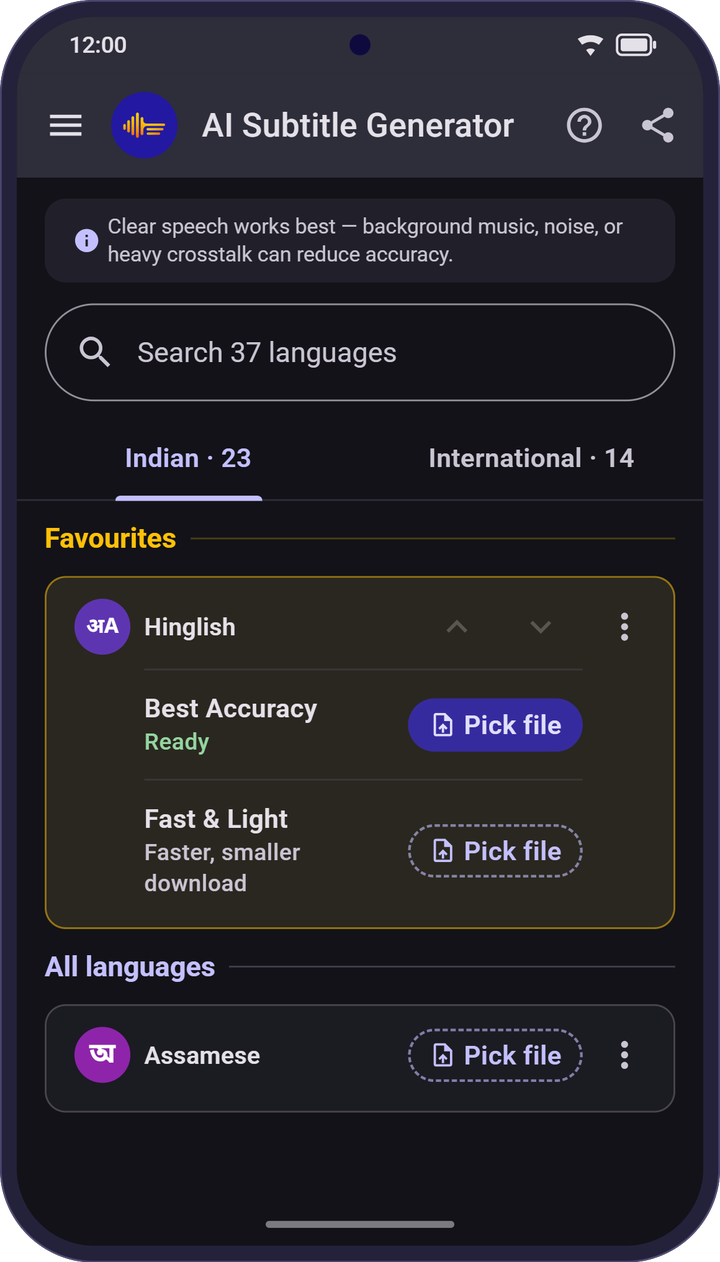
Choose the language
Choose the language spoken in the file. Each language downloads once; after that, no internet needed.
-
Step 3
Check, fix and save
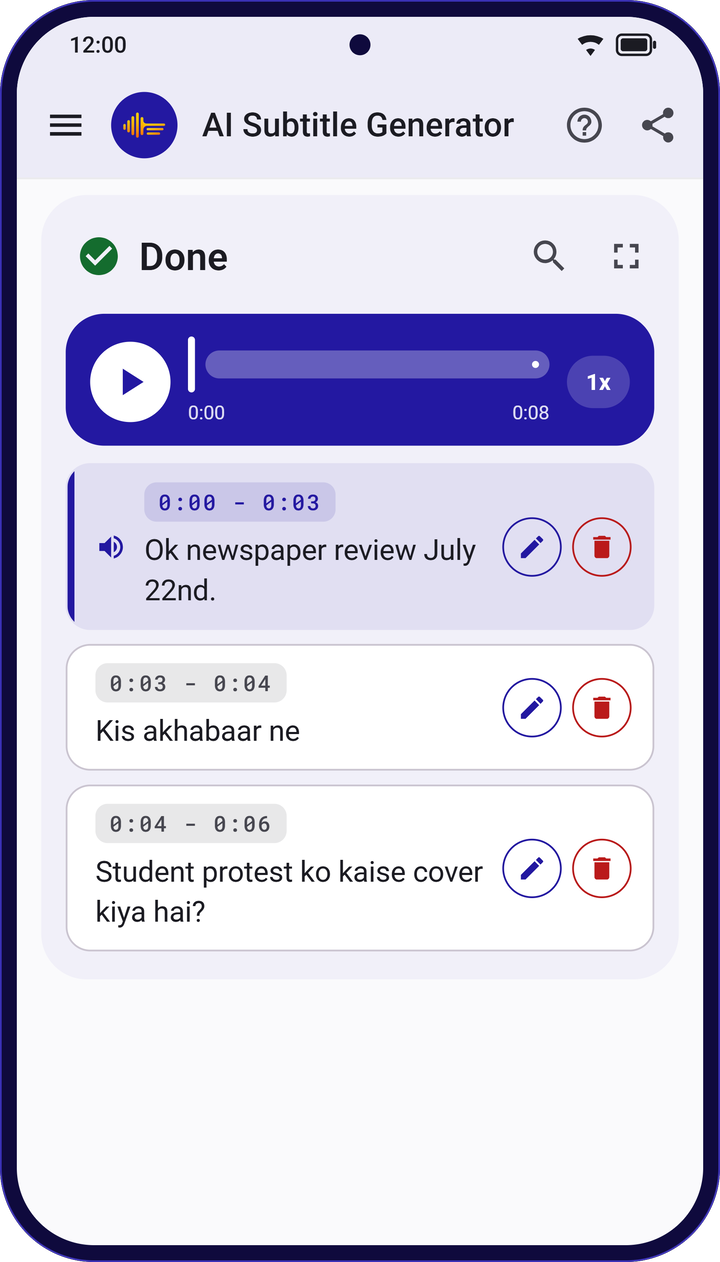
Tap a line to hear it, fix any word, then save as SRT, VTT or plain text.
Why subtitles
Why add subtitles and captions?
- Watched on muteMany people watch videos with the sound off.
- Open to everyoneCaptions help viewers who are deaf or hard of hearing.
- Easy to followViewers who can read along are more likely to keep watching.
Languages
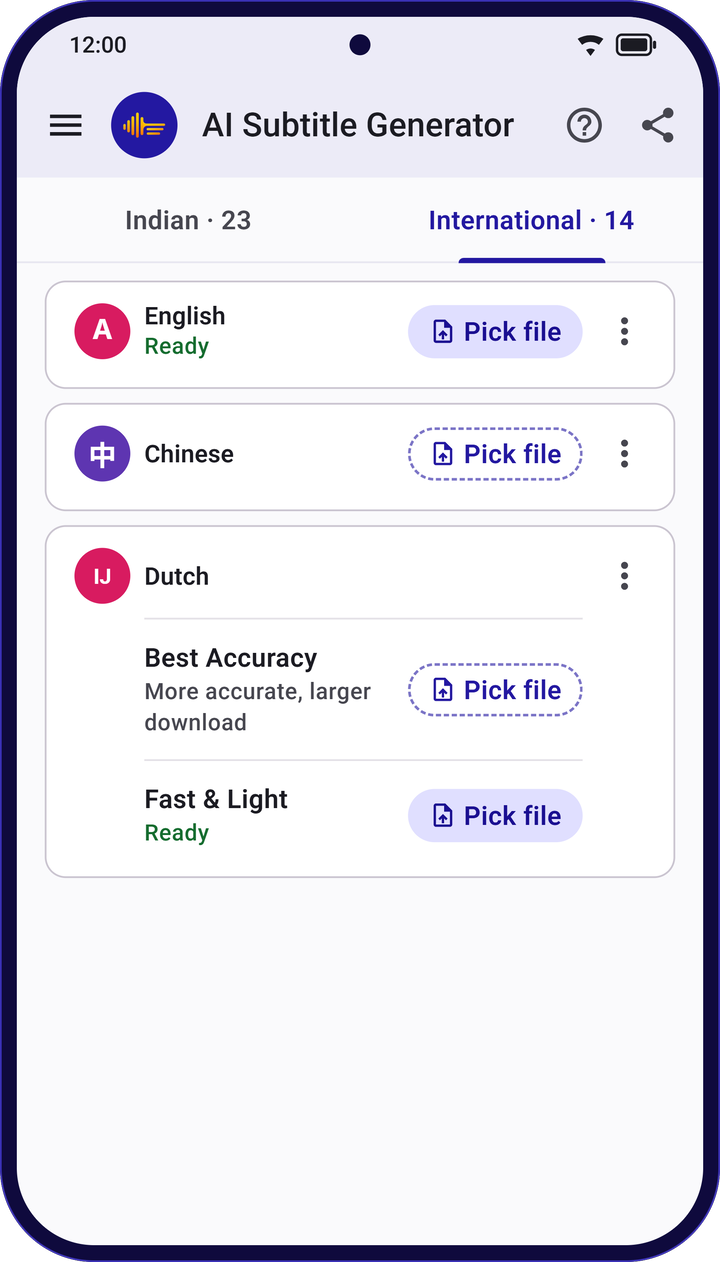
36 languages plus Hinglish
All 22 official Indian languages, written in their own scripts, plus English and 13 world languages. Download only the ones you need.
Indian languages
22 + Hinglish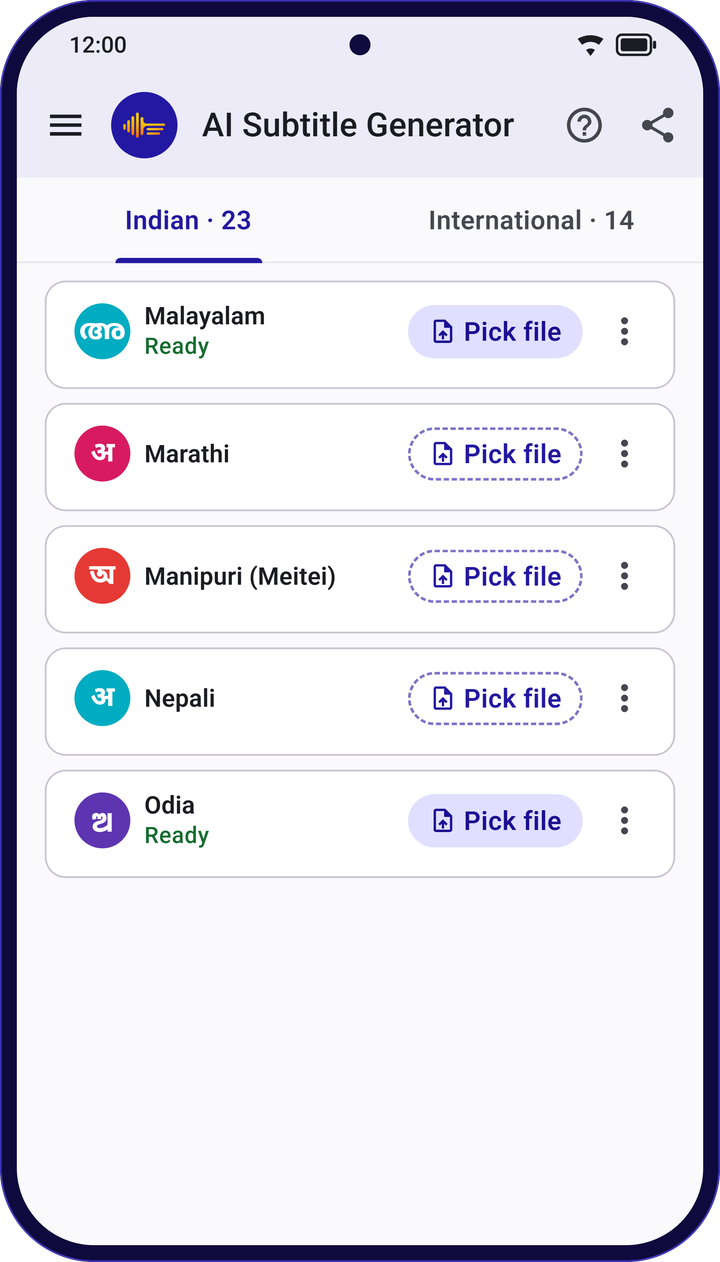
Privacy
Your audio stays on your phone
Subtitles are made on your device, so your recordings stay yours.
- Never uploaded
- Your audio, video and transcripts are never uploaded.
- No internet after download
- Each language downloads once. After that, make subtitles anywhere, even without a signal.
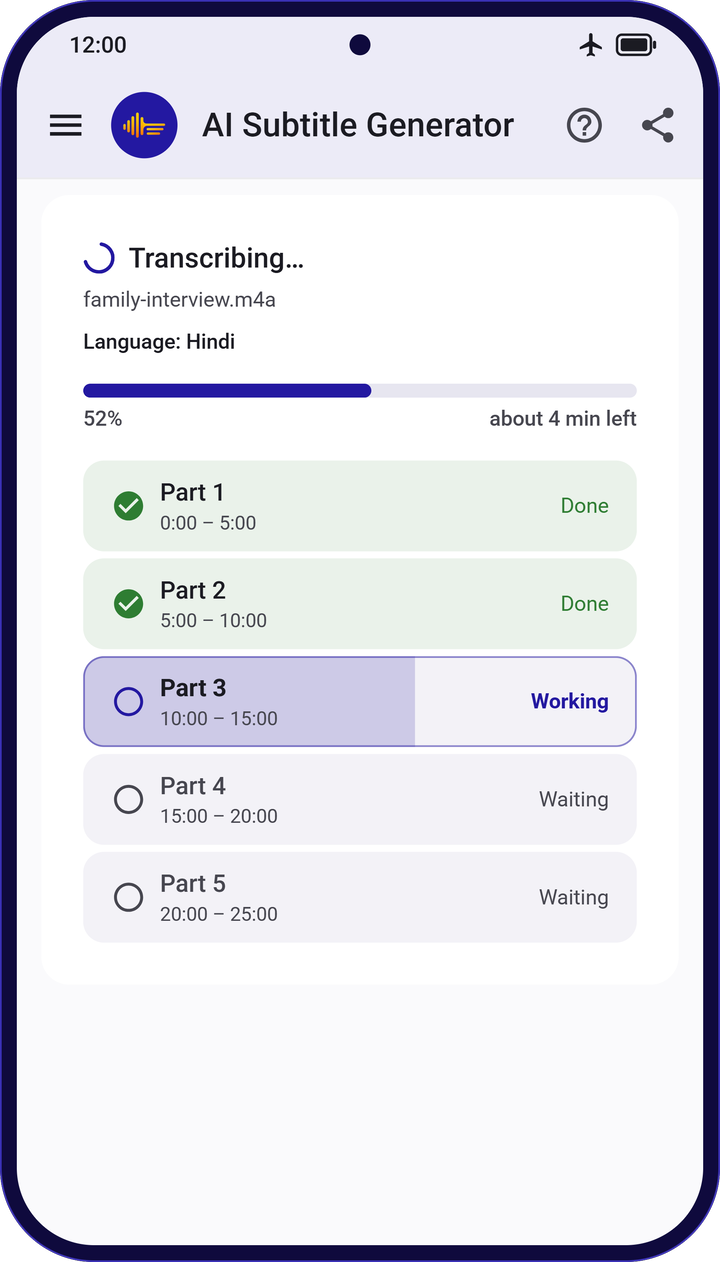
- Long recordings
- Long files are split into parts automatically, so you can follow the progress.
Edit & save
Hear it. Fix it. Save it.
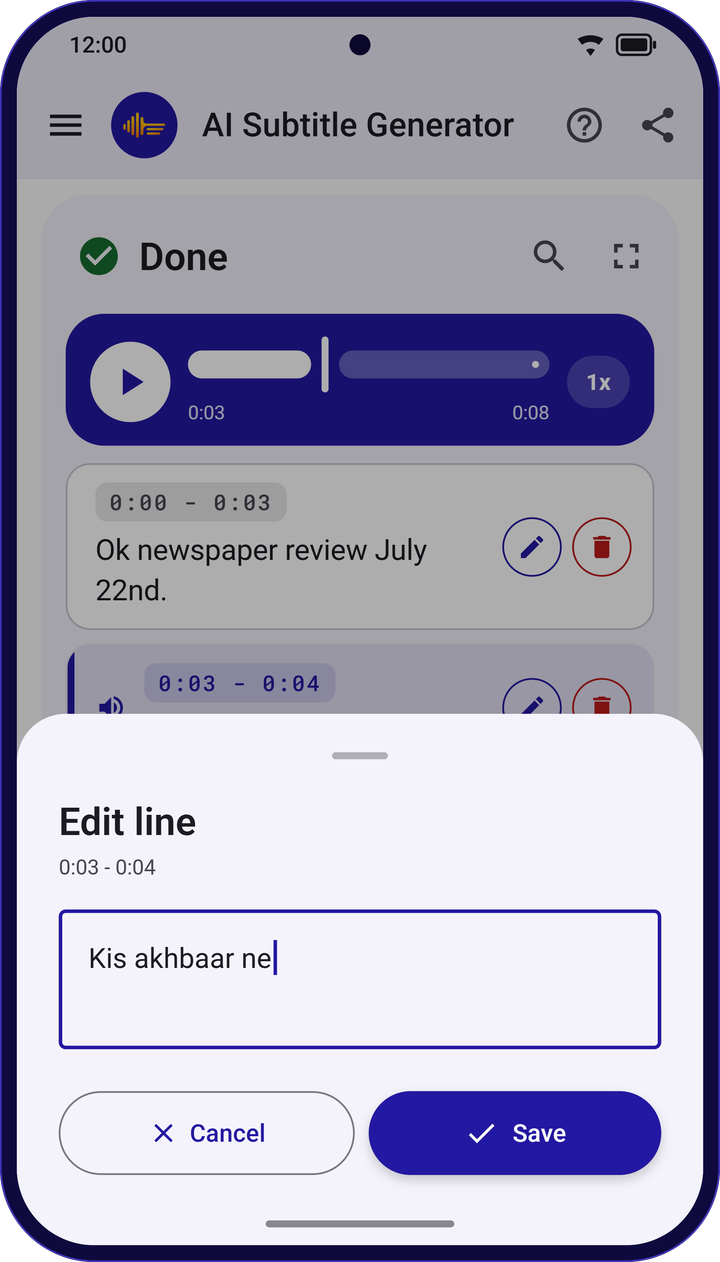
- Tap any line to hear that moment again
- Fix a word or delete a line, with undo
- Search the transcript to find any word
- Slow playback down or speed it up, from 0.75× to 2×
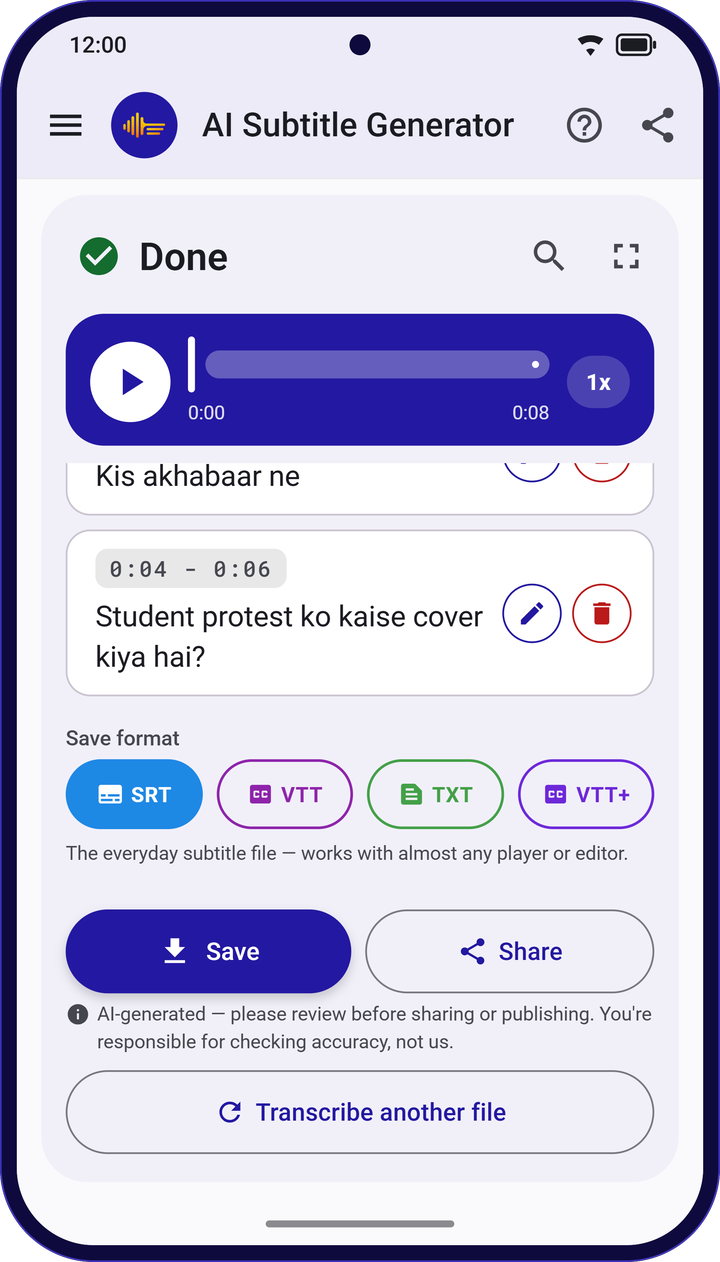
- SRT
- The everyday subtitle file
- WebVTT
- For web video players
- WebVTT + word timing
- For players that highlight each word
- Plain text
- When you just need the words
subtitles.srt
1
00:00:00,000 --> 00:00:03,000
Ok newspaper review July 22nd.

2
00:00:03,000 --> 00:00:04,000
Kis akhabaar ne
Save to your phone, share straight from the app, and find every past transcript in your history.
To show captions on your video, add the SRT file in your video editor, or upload it together with your video.
Hinglish
Mixed Hindi and English? Written the way you type it.
Hinglish has its own choice in the app, so a sentence that switches between Hindi and English comes out in the Roman letters you already text in.
0:04 – 0:06
Student protest ko kaise cover kiya hai?
Made for real recordings
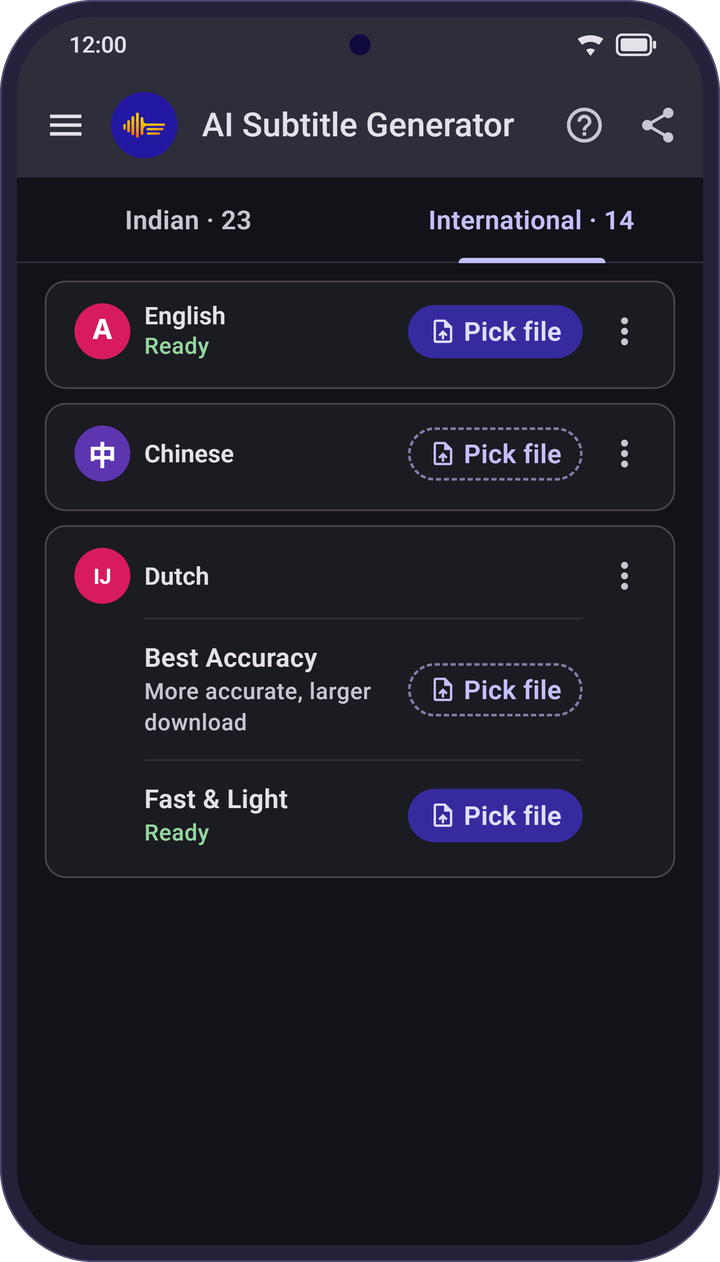
Light or dark. Your choice.
- Made for
- YouTubers and vloggers, journalists and interviewers, teachers and students, podcasters, and anyone with meetings or voice notes to turn into text.
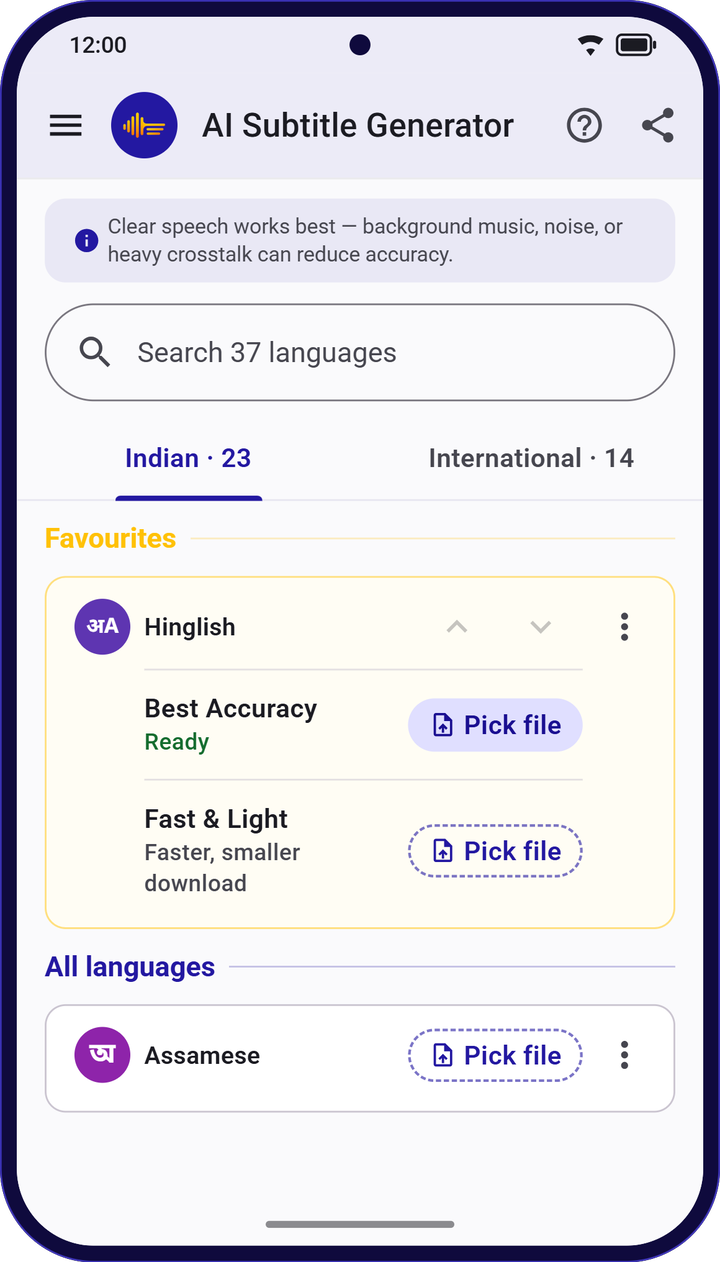
- Two choices per language
- Many languages give you Best Accuracy, or Fast & Light for a smaller download and quicker results.
- Your theme
- Pick light or dark, or let the app follow your phone.
- Good to know
- Subtitles are made by AI and can have mistakes, especially with background music, noise or people talking over each other. Give them a quick check before you publish.
From Google Play reviews
What people say
★★★★★
Subtitles significantly improve language comprehension, vocabulary building, and word recognition. … Your skill, dedication, and attention to detail are clearly reflected in the quality and smooth performance of the app.
★★★★☆
free app hy. Urdu, Hinglish captions ki file generate Hoti Hain. video main subtitles burn nahi hotay.
In English: a free app that makes caption files for Urdu and Hinglish; subtitles aren't burned into the video.
★★★★★
it's a great app helped me a lot
★★★★★
التطبيق ممتاز ممتاز .. ينقصه الاطلاع على الترجمة قبل حفظها، شكرا للقائم على التطبيق
In English: an excellent app; it's missing a way to view the subtitles before saving them. Thanks to whoever runs it.
Reviews are quoted as written, with names left out.
Questions
Frequently asked questions
Are my audio and video files uploaded?
No. Subtitles are made on your phone. Your audio, video and transcripts are never uploaded.
Do I need internet to make subtitles?
Only once per language, to download it. After that you can make subtitles anywhere, even without a signal.
Which languages does AI Subtitle Generator support?
36 languages plus Hinglish: all 22 official Indian languages (Assamese, Bengali, Bodo, Dogri, Gujarati, Hindi, Kannada, Kashmiri, Konkani, Maithili, Malayalam, Manipuri, Marathi, Nepali, Odia, Punjabi, Sanskrit, Santali, Sindhi, Tamil, Telugu and Urdu), plus English, Chinese, Dutch, French, German, Indonesian, Italian, Japanese, Korean, Polish, Portuguese, Russian, Spanish and Turkish.
Which subtitle formats can I save?
SRT, WebVTT, WebVTT with word timing, and plain text. You can save to your phone or share straight from the app.
Can it add captions to my video?
It makes subtitle and caption files rather than a new video. To show captions on your video, add the SRT file in your video editor, or upload it together with your video.
Do I need an account?
No. There is no sign-up. Install the app, pick a file and choose the language.
How accurate are the subtitles?
Subtitles are made by AI and can have mistakes, especially with background music, noise or people talking over each other. Tap any line to hear it and fix it before you publish.
Where can I download the app?
AI Subtitle Generator is an Android app, available on Google Play.
Make your first subtitles
Install AI Subtitle Generator, pick a file, and choose the language. No sign-up needed.